
Before & After
AI Vocal Removal Before & After — Hear the Separation Quality
Do not just take our word for it. The examples below show how SongCre frames the original, isolated vocal, and extracted instrumental workflow so visitors understand what they are getting before they upload.
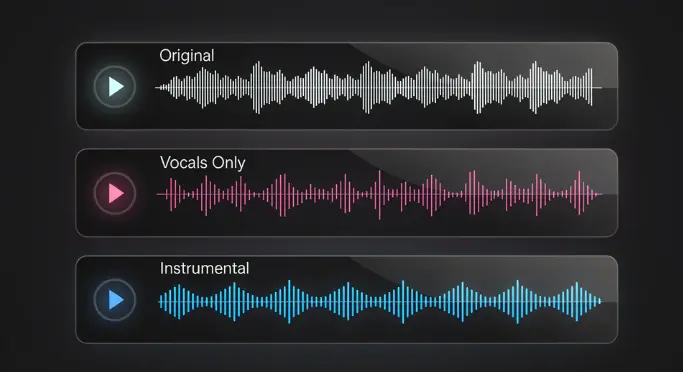
Sample 1 — Pop Track
Sample 2 — Hip-Hop Track
Sample 3 — Rock Track
All samples shown in this section are presented as pure AI separation workflows with no manual adjustment step in the page copy.
Workflows
Extract Vocals, Create Instrumentals & More — One Upload, Four Workflows
The vocal remover is not just a utility page. It is a flexible entry point into karaoke prep, acapella extraction, remix ideation, and spoken-audio cleanup.

Make Karaoke Tracks Online — Remove Singing from Any Song
Turn any song into a karaoke version in seconds. Our AI strips the lead vocals while preserving the energy and structure of the instrumental so your track still feels finished, not hollow.
Make a Karaoke Track Now
Extract Acapella from Song for Covers & Mashups
Need the vocal line on its own? Isolate a cleaner acapella to build mashups, prep a cover workflow, sample hooks, or test new vocal arrangements inside your DAW.
Extract Acapella Free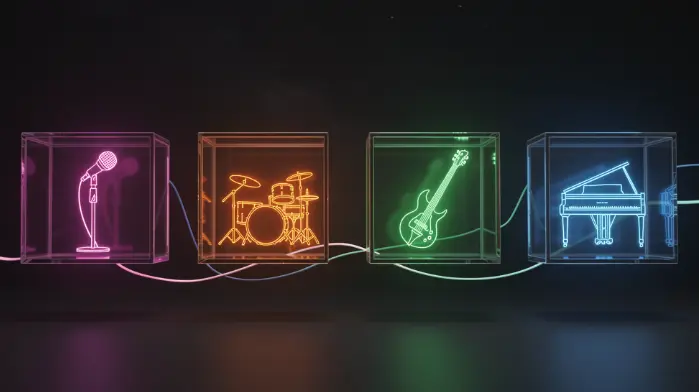
Build Remix-Ready Stems & Instrument Layers
Start with isolated vocals and clean instrumentals, then rebuild the track for DJ edits, mashups, transitions, intros, or fast remix concepts without spending time on manual cleanup.
Start a Remix WorkflowRemove Background Music from Audio — Keep Only the Voice
Use the same separation workflow to pull speech forward and reduce the surrounding music bed. It is useful for interviews, practice takes, demos, and dialogue-heavy source clips.
Clean Up Audio NowWhy SongCre
Best Free AI Vocal Remover Online — Why Choose SongCre?
This page follows the same dark olive and warm-accent language as the homepage, but frames the product around separation quality, speed, and downstream creative utility.
Next-Gen AI Architecture
Our vocal isolation workflow is built for modern source separation, helping preserve useful detail in both the vocal and instrumental outputs instead of relying on brittle phase tricks.
Hi-Fi Online Workflow
Upload, process, preview, and download from the browser without plugin installs, local setup, or manual routing inside a DAW.
One Input, Multiple Creative Paths
Start with a single song, then turn the result into karaoke, acapella practice material, remix prep, or a jumping-off point for SongCre's creation tools.
URL Import Supported
Paste a song URL directly when you do not want to download the source first. It shortens the path from discovery to usable stems.
Works on Any Device
Chrome, Safari, Firefox, and Edge all work. The page stays compact on mobile so you can run a quick split without fighting oversized spacing.
Private & Secure
Your file is processed for the current task only, with the workflow designed for quick turnaround instead of long-term storage in the product UI.
Fast Turnaround
Most tracks finish in roughly 10 to 30 seconds depending on the file length and queue status, so you can audition ideas without a long wait.
Comparison
AI Vocal Remover vs. Traditional Vocal Removal Methods
Traditional vocal removal techniques rely on audio phase cancellation — a decades-old trick that only works with perfectly centered vocals and stereo tracks. The result is often hollow, echoey, and missing key frequencies. SongCre takes a different route, using AI to identify and separate sources by their acoustic fingerprint instead of hoping the mix is arranged in a very specific way.
| Category | Traditional Removal | SongCre AI |
|---|---|---|
| How it works | Phase cancellation on stereo channels | Neural source separation based on acoustic patterns |
| Best case | Centered vocals in simple stereo mixes | Modern mixes, denser arrangements, and varied genres |
| Typical result | Hollow, echoey, or frequency-damaged output | Cleaner vocals and instrumentals with fewer obvious artifacts |
SongCre Ecosystem
From Vocal Separation to AI Music Creation — Remix, Cover & Reimagine
What makes SongCre different from a one-off separator is the path forward. Split the source, then move straight into new lyrics, new arrangements, or visual content without leaving the product ecosystem.

AI Song Cover — Swap Vocals with a New AI Voice
Extracted clean vocals? That gives you a much better starting point for voice transformation, alternate performances, and cover-style experiments inside the wider SongCre workflow.
Use Isolated Vocals in SongCre
Lyrics to Song — Write & Produce Over Extracted Instrumentals
Take the creative spark from an extracted instrumental and move straight into new songwriting. Draft lyrics, generate a melody, and turn the idea into a complete new track.
Try Lyrics to Song
AI Music Video Generator — Visualize Your New Track
Finished a remake, edit, or fresh song idea? Carry the result into SongCre's video workflow and generate visuals for YouTube, TikTok, shorts, and promo content.
Try Music Video GeneratorSocial Proof
Vocal Remover Trusted by 800K+ Musicians, DJs & Creators
5M+
Tracks Processed
800K+
Creators
190+
Countries
4.9/5
Average Rating
★★★★★
"I run a karaoke channel on YouTube. I have tested every free vocal remover out there — SongCre is the only one that does not leave that weird underwater echo on the instrumentals. It actually sounds clean."
★★★★★
"The separation is ridiculously fast. I pulled a usable drum feel out of an old hip-hop track, rebuilt the groove in my DAW, and had a new idea going almost immediately."
★★★★★
"I use the vocal remover to extract dialogue from old family videos where music is playing in the background. It is not the typical use case, but it works beautifully for cleanup."
★★★★★
"Removed vocals from my friend's favorite song, wrote new lyrics with SongCre, and turned it into a birthday surprise in one sitting. The workflow feels connected instead of stitched together."
Specs
Vocal Remover That Works with Every Audio Format & Music Genre
Whether the source is a lightweight MP3 from your phone, a lossless file from your library, or a direct URL, the goal here is simple: get usable vocals and instrumentals with as little friction as possible.

| Supported input | MP3, WAV, FLAC, OGG, M4A, and song URLs |
|---|---|
| Maximum file size | 20MB per upload |
| Output | Downloadable separated audio tracks |
| Current separation workflow | Vocals and instrumental isolation |
| Genre compatibility | Pop, rock, hip-hop, R&B, EDM, jazz, classical, country, Latin, K-pop, acoustic, lo-fi, and more |
| Processing speed | Usually 10–30 seconds depending on file length |
| Device compatibility | Chrome, Safari, Firefox, and Edge on desktop and mobile |
FAQ
Frequently Asked Questions About AI Vocal Remover Online
Is SongCre's vocal remover really free?
Yes. You can get started without paying upfront. SongCre gives new users free credits to try the workflow, and the wider platform also includes daily check-in mechanics for earning more credits over time.
How accurate is the AI at separating vocals from instrumentals?
It is built to sound cleaner than traditional vocal removal methods, especially on dense mixes where simple stereo tricks usually fall apart.
Will it work on songs with multiple vocalists?
Yes. The workflow is designed to isolate the vocal content from the rest of the song, including layered singing, harmonies, and group vocals.
Can I isolate just the vocals or just the instrumental?
Yes. The current experience is focused on splitting a track into vocal and instrumental outputs so you can move quickly into karaoke, cover, or remix use cases.
Can I use the separated tracks commercially?
Commercial use depends on your SongCre plan and your rights to the original source material. Paid plans are the safer path if you need monetized or client-facing usage.
Can I remove vocals directly from a URL instead of uploading a file?
Yes. Paste a valid song URL into the input field and SongCre will use that as the source instead of a local upload.
What happens to my uploaded files?
The page is designed around real-time processing and quick access to the result rather than long-term storage in the interface.
Does the vocal remover work on live recordings?
Yes, although cleaner studio recordings usually produce the best results. Live recordings with crowd noise or heavy room reverb can introduce more artifacts.
How is AI vocal removal different from Audacity's vocal removal?
Audacity-style removal usually depends on phase inversion. SongCre uses AI-based source separation, which is more flexible on real-world mixes and usually preserves more useful audio detail.
Can I use the extracted instrumental as a karaoke track?
Yes. That is one of the most common uses for the page and the fastest way to turn an existing song into a karaoke-ready backing track.
Final CTA
Your Next Track Starts with a Split.
Upload a song or paste a URL. Get isolated vocals and instrumentals. Then remix, cover, or create something the world has never heard.
Join 800,000+ creators who use SongCre to make music happen.