
What Does Audio to MIDI Mean? A Practical Guide for Producers and Songwriters in 2026
SongCre Team
3/8/2026
What Does Audio to MIDI Mean?
Audio to MIDI means converting a recorded sound (like humming, singing, guitar, or piano audio) into MIDI note data that you can edit in a DAW.
The key difference is simple:
- Audio is a waveform (what you hear).
- MIDI is instruction data (what note, when it starts, how long it lasts, and velocity).
So when people ask “what does audio to MIDI do,” the practical answer is: it turns a performance into editable musical notes.
Why Audio to MIDI Is Useful in Real Workflows
For many creators, ideas arrive before production is ready. You might record a melody on your phone and not touch your DAW until later. Audio-to-MIDI bridges that gap.
Common use cases:
- Capture a quick vocal melody and turn it into a piano or synth line.
- Rebuild lead melodies from rough demos.
- Speed up topline writing for pop, EDM, and lo-fi tracks.
- Create MIDI drafts for collaboration.
- Fix timing or pitch by editing notes instead of re-recording audio.
If your goal is faster idea-to-arrangement workflow, audio-to-MIDI is one of the most practical tools you can add.
What SongCre Audio to MIDI Actually Converts
SongCre’s audio-to-MIDI tool is designed for clear melodic lines.
It works best when your source is:
- One dominant melody (monophonic)
- Relatively clean recording
- Stable pitch and rhythm
- Short idea clips rather than dense full mixes
In practice, this means humming, singing, flute-like melodies, and simple lead instrument phrases convert most reliably.
What It Does Not Do (Important)
Audio-to-MIDI is powerful, but it has limits. It does not automatically produce a perfect multi-track arrangement from any song.
Typical limitations:
- Busy tracks with chords + drums + vocals can confuse note detection.
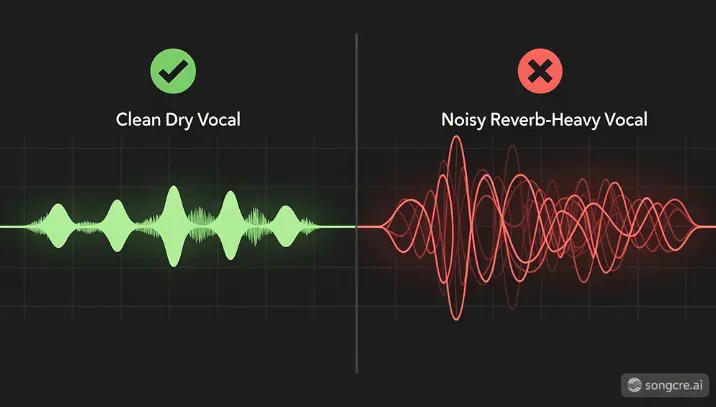
- Heavy reverb/noise lowers accuracy.
- Expressive pitch bends may become stepped notes.
- Polyphonic material may require manual cleanup.
Treat conversion as a smart first draft, then edit in your DAW.
How to Convert Audio to MIDI with SongCre
1. Open the Audio-to-MIDI tool
Go to SongCre’s audio-to-MIDI page and upload your audio clip.
2. Use a clean source file
For best results, use a short clip with a single melody line and minimal background layers.

3. Run conversion and export MIDI
SongCre analyzes the melody and generates a downloadable MIDI file you can import directly into your DAW.
4. Edit and arrange
Once imported, you can quantize, re-voice instruments, transpose key, or layer harmonies on top.
Pro Tips for Better Audio-to-MIDI Accuracy
- Record dry when possible: avoid heavy effects during capture.
- Keep phrasing clear: sing or play notes distinctly.
- Trim silence first: clean starts/ends improve note alignment.
- Use shorter clips: segment long ideas into sections.
- Do a quick MIDI pass: tighten rhythm and remove outlier notes.
These small steps usually make a bigger difference than changing tools.
Audio to MIDI vs. Pitch Correction: Not the Same Thing
People often mix these up.
- Pitch correction edits or tunes existing audio.
- Audio-to-MIDI extracts note events so you can drive instruments.
If you want to keep a vocal recording sounding natural, use pitch correction. If you want flexible composition control, use MIDI conversion.
Who Benefits Most from Audio to MIDI?
- Songwriters sketching ideas fast
- Producers rebuilding hooks from voice memos
- Beginners who can sing ideas but don’t play keys
- Content creators needing quick custom melodies
- Teams sharing ideas across DAWs and sessions
If you create music regularly, this workflow can save real production time.
Final Takeaway
Audio to MIDI means transforming sound into editable note instructions. It is not magic, but when used on clean melody sources, it dramatically speeds up writing and arrangement.
With SongCre, you can move from rough idea to MIDI draft in minutes, then shape that draft into a finished track inside your own production workflow.
FAQs
Q1: Is audio-to-MIDI the same as converting a full song into stems?
No. Stems split audio components (vocals, drums, etc.). Audio-to-MIDI extracts note data, usually from melodic content.
Q2: Can I convert singing to MIDI?
Yes. Clear vocal melodies are one of the best inputs for audio-to-MIDI conversion.
Q3: Will the converted MIDI be perfect?
Usually not 100% perfect. Expect a strong draft that may need quick manual cleanup.
Q4: Can I use the MIDI in Ableton, FL Studio, Logic, or Cubase?
Yes. Standard .mid files are compatible with all major DAWs.
Q5: What type of audio gives the best results?
Short, clean, single-melody recordings with low background noise.